There are three ways to add new content to this wiki.
The first way is to add items through our form. This form allows you to link to any website with content you find interesting and creates a page to discuss this material with others. Feel free to add anything you find interesting!
Another way to add items to the wiki easily as you find them on the internet is by using our bookmarklet. This bookmarklet is a quick and easy way to access the form described above. Drag the link below to your bookmarks bar and click on it when you find something interesting that you would like to share with everyone. (See also the tutorial below)
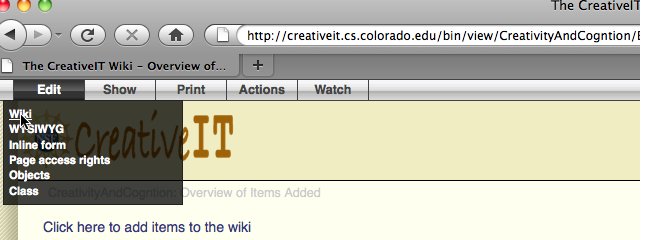
Lastly, this is a wiki which means anyone registered on this site can create any new pages they want or edit existing pages. If you are logged into the wiki, you should see an "Edit" tab on the silver bar on the top left of each screen. You can use this to edit pages.
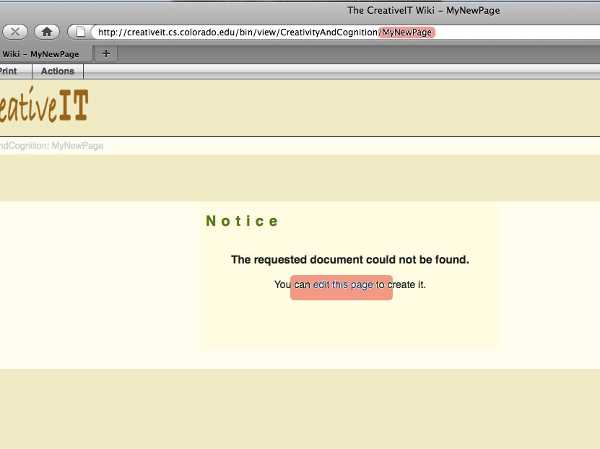
To add a new page, just enter the name of the page into the URL bar in your browser and click on the "edit this page" link that appears on the page.